
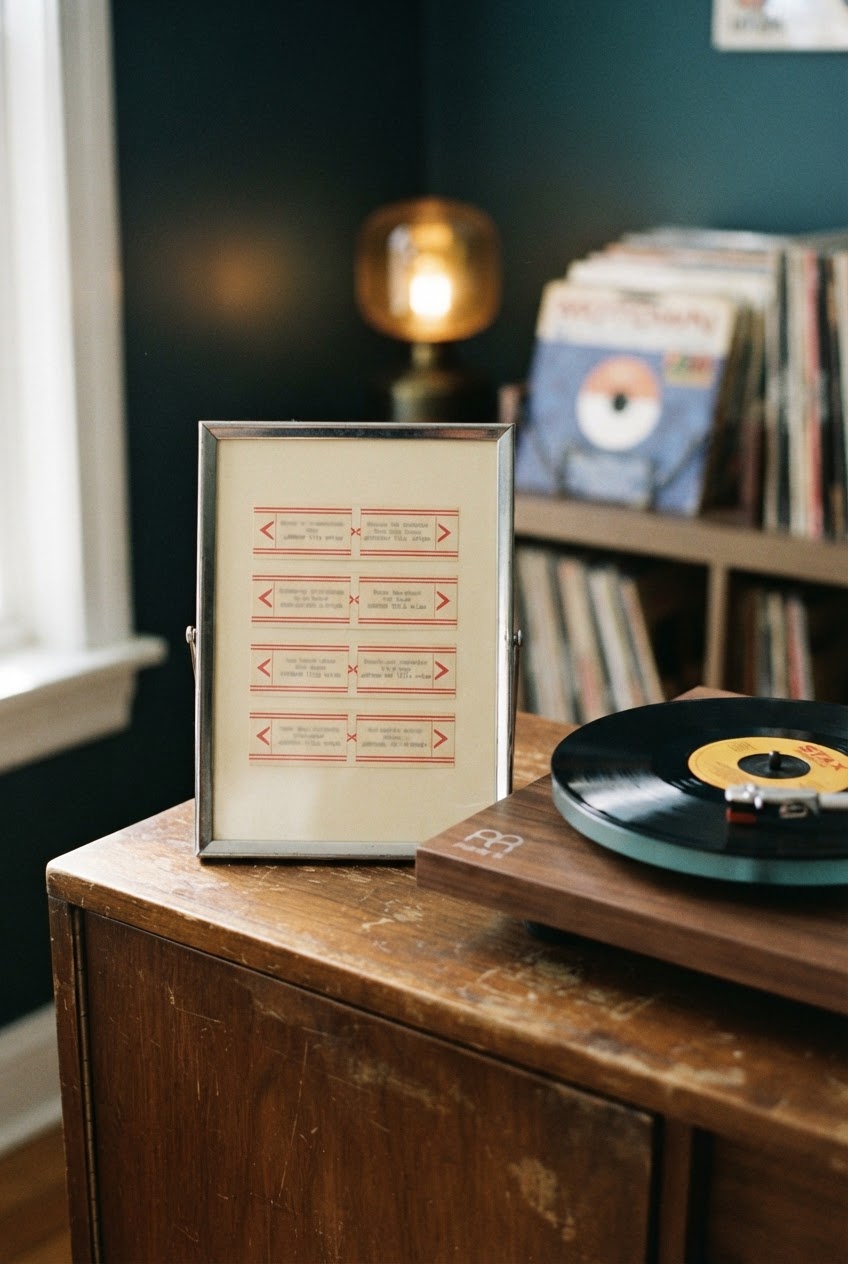
The B-side you love is easy to miss when all anyone sees is a row of record sleeves. Four jukebox title strips beside the turntable give a guest eight songs to choose from. The menu works even if your entire singles collection fits in a shoebox.
As an Amazon Associate I earn from qualifying purchases. The room image is an AI-generated styling illustration.
Pick four singles you can reach from the turntable
Read the labels on your own copies and write down both titles and the artist for each. Try a dance-floor favorite, a slow song, a soundtrack single and one B-side you’d like someone to discover. Keep those four records together, in their sleeves, in the same order as the menu. When someone calls out a title, you’ll know which record to pull.
Print the strips and check the frame opening
Jukebox Tools has a title-strip maker with classic designs and a PDF print option. Choose the 3 × 1-inch strip for this layout and print one test page at actual size. Or cut four strips of cream paper and draw a pair of red rules on each. Write the artist in the middle and a song title above and below. Make printable jukebox title strips.
Cut a 5 × 7-inch backing sheet and turn it vertically. Four 1-inch-high strips with a quarter-inch gap between rows occupy 4¾ inches of height. Center the group, then lay the empty frame over it to see where the lip falls. Paper photo corners on the backing let you swap in another lineup without sticking tape to the strips.
Use a tabletop frame with an easel that leaves room for the turntable lid to open. The silver Lawrence Frames 510757 takes a 5 × 7 insert and has a 4½ × 6½-inch viewing area, enough for this arrangement. See the frame opening. Check the silver 5 × 7 Lawrence frame on Amazon.