
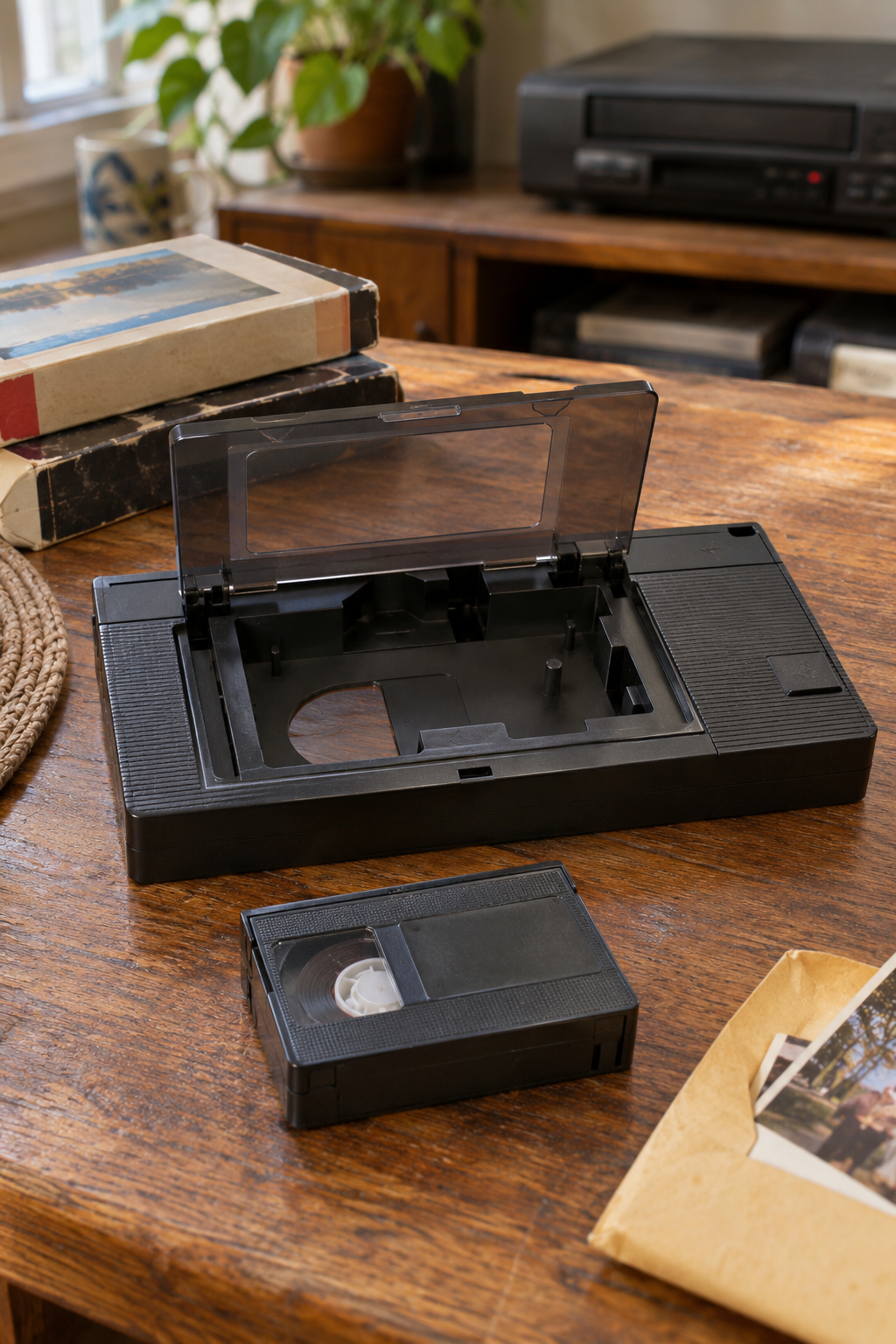
Small camcorder tapes can look similar in a box. The useful clue is the format printed on the cassette shell. A motorized VHS-C adapter puts a compact VHS-C cassette into a shell a full-size VHS deck can load. If the tape says Hi8, Video8, Digital8 or MiniDV, start by finding compatible playback hardware for that format.
As an Amazon Associate I earn from qualifying purchases.
Match the label to the playback equipment
- VHS-C. Use a VHS-C-to-VHS cassette adapter and a working VHS VCR. For a motorized adapter, check what battery it takes and whether the battery is included.
- S-VHS-C. Check both the adapter and the VCR. For an S-VHS recording, look for a deck that supports S-VHS playback or S-VHS Quasi Playback (SQPB).
- Video8, Hi8 or Digital8. Check which recordings the specific 8 mm camcorder or deck can play before buying it used. Sony explains why 8 mm tapes need a playback path separate from VHS.
- MiniDV. Look for a MiniDV camcorder or deck that supports the recording on the tape.
What to buy if the tape says VHS-C
If you already have a working VHS VCR, the MAG motorized VHS-C cassette adapter (paid link) is one option. Its listing specifies one AA battery. If you’re looking at an older secondhand adapter, ask to see the battery compartment and whether its door opens and closes correctly before ordering.
Follow the adapter manual and let its mechanism finish loading the compact cassette before putting it in the deck. Try a tape you can replace first. If a cassette looks damaged or the mechanism resists, stop there and consider a transfer service for the original.
Playback first, then capture
Once picture and sound are working through the VCR, you can decide whether to make a digital copy. The Kay’s Finds VHS capture guide shows what comes next.
For compatibility details, see Sony’s 8 mm playback guidance and the JVC cassette adapter instructions.